Introduction
Most software treats its most experienced users like strangers. Not by accident. By default.
The dashboard a new hire opens on day one looks exactly like the one a three-year power user navigates daily. The menu a retail customer scrolls through mirrors the one an enterprise administrator uses to manage team permissions. Everyone gets the same interface, regardless of what the product already knows about them.
Most teams never questioned this default. As competition for user attention tightens, that omission is becoming a measurable liability.
What is hyper-personalization and what does it actually mean for product teams?
The term gets used loosely across marketing, product, and engineering conversations, so precision matters. Standard personalization works from static attributes: a user’s name, their account tier, their declared role. Hyper personalization goes further: it combines real-time behavioral data with AI to understand not just who a user is but what they need at a specific moment, and responds across every touchpoint accordingly.
In a product context, the distinction is meaningful. A SaaS tool that displays your name and remembers your last-used filter is personalized. A tool that restructures its navigation based on which features you actually reach for, surfaces the report type you open every Monday, and quietly de-prioritizes tools you have never touched is hyper personalized. The experience reflects observed behavior, not declared preferences.
This shift has a name in UX research: Situational UX. The underlying idea is that a product should have thousands of micro-variations depending on a user’s role, usage history, environment, and immediate intent. The “Empty State Paradox” captures what happens when this thinking is absent: new users land on a blank dashboard with a generic “Get Started” button and immediately question the product’s value before experiencing any of it. Hyper personalization eliminates that friction by building an interface that is already useful on arrival.
The business case
HubSpot introduced Adaptive Workspaces as part of its Breeze AI suite and reported a 32 percent improvement in user productivity alongside a 22 percent reduction in navigation-related support tickets. That second figure is the more telling one. A fifth of support volume was eliminated — not because a bug was fixed, but because the interface stopped requiring users to locate things the system could have surfaced automatically.
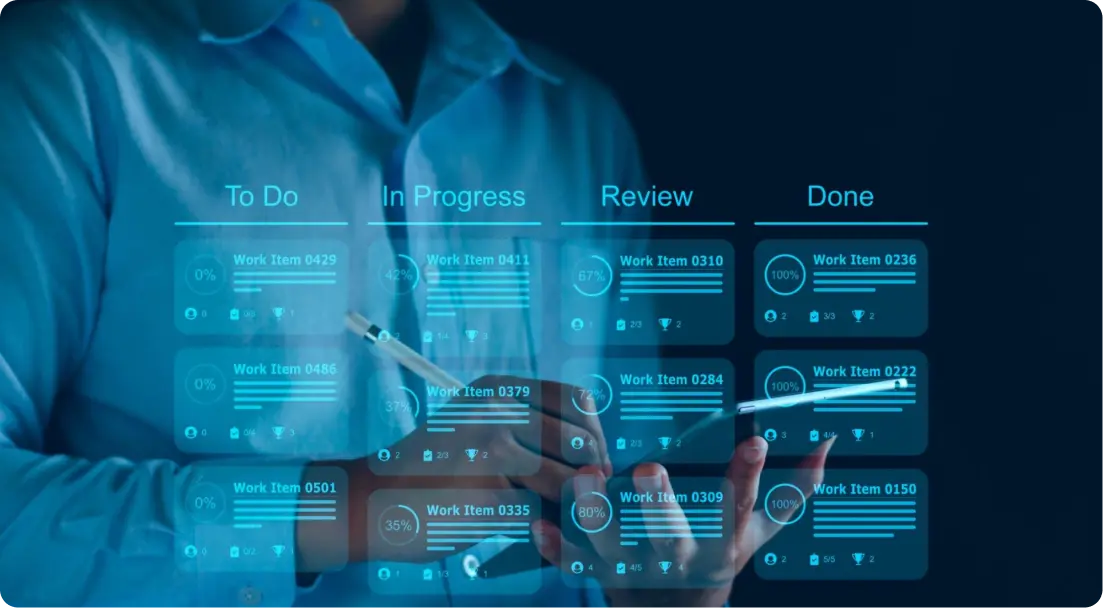
The Sales Workspace uses a Predictive Deal Score to rank deals requiring immediate attention, and Guided Actions to recommend next steps based on deal context. Users are not configuring this. The product observes their priorities and reorganizes itself around them.
ClickUp Brain, the platform’s AI assistant, takes a complementary approach. It analyzes past work patterns and surfaces personalized layout decisions while also allowing users to manually pin features and reorder sidebar sections. The result is a hybrid model where the system provides structure and the user retains control — a distinction that matters more than it might seem, as we will return to shortly.
For founders and product leaders, the business case for a genuinely personalised customer experience comes down to one mechanism: reduced cognitive load at every interaction. Lower cognitive load means faster task completion, higher feature adoption, fewer users who quietly gave up finding something, and a measurable reduction in support overhead.
Teams we work with at Ralabs typically face this problem first at the data layer — not because they lack behavioral signals, but because those signals are scattered across tools that have never been wired together into a single user profile.
Hyper-personalization examples: what this looks like in production
The clearest hyper-personalization examples come from products that have moved beyond static segmentation into genuinely adaptive behavior.
A CRM that reorganizes its deal pipeline view based on which stages a sales rep visits most is hyper-personalized. A project management tool that pins the board layout you open every morning without asking you to configure it is hyper-personalized. A banking application that shows an executive a portfolio performance dashboard on login while a retail customer opens directly to a personal budget summary — same codebase, completely different entry points — is hyper-personalized. In each case, the interface has made a decision the user used to make manually, and made it correctly enough that the user stops noticing the decision exists.
These are not hypothetical patterns. They are what the architecture described in the next section makes possible.
The three-layer stack behind adaptive interfaces
Building an adaptive interface is not a single-library problem. There is no package to install and configure. What teams are constructing is a layered system where user behavior tracking, segmentation logic, and rendering logic each operate independently but inform one another.
The first layer is behavioral profiling. A Customer Data Platform like Segment acts as a central broker, standardizing event collection across web, mobile, and server environments. The identify method associates users with traits such as subscription tier or company role. The track method captures specific actions. To achieve the near-zero latency that real-time AI personalization requires, many teams adopt event-driven architecture using brokers like Apache Kafka or Amazon EventBridge, where a “ProductViewed” event can immediately re-segment a user from casual browser to high-intent buyer and prompt a UI change before the next click. Behavioral analytics platforms like Amplitude, Mixpanel, and Aampe sit on top of this layer, turning raw event streams into behavioral cohorts, usage archetypes, and AI-driven personalization signals.
The second layer is the personalization engine. Tools like Pendo, Userpilot, and Appcues inject contextual flows, tooltips, and in-app experiences triggered by user traits without requiring source code changes. LaunchDarkly and Statsig provide feature flags that serve different UI states to different user segments at the code level. These tools are powerful but rules-driven. A human still defines what each segment sees — which makes them the practical starting point for most teams, not the destination.
The third layer is where genuine auto-adjustment lives, and it is mostly being built from scratch today. The technical foundation is Server-Driven UI (SDUI), an architecture where the server sends layout instructions in JSON and the client acts as a renderer rather than a decision-maker. Airbnb’s Ghost Platform pioneered this pattern using GraphQL to send complete UI trees, enabling instant interface changes without App Store or Play Store review cycles — removing one of the biggest bottlenecks in mobile product iteration.
The emerging generative pattern on top of SDUI follows a consistent structure: aggregate user context from Layer 1, define a strict schema of permitted components using tools like Zod or Pydantic, pass both to an LLM, receive a personalized layout configuration in return, and render from it. A banking application built this way can serve an executive a portfolio performance view while a retail customer opens to a personal budget dashboard — same codebase, completely different entry points, determined by context the system already holds.
CopilotKit has formalized part of this pattern through its Agent-User Interaction (AG-UI) Protocol, a standardized communication layer between AI agents and frontend components. Developers can map an agent’s decision directly to a React component, creating interfaces that respond to AI logic rather than static rules.
Building something in this space?
Ralabs works on AI pipelines, recommendation systems, and LLM-powered products — from early architecture decisions to production-ready delivery.
The trust problem product teams tend to underestimate
Adaptive interfaces introduce a psychological challenge that metrics alone do not capture. Users build mental models of how a product works and use those to predict its behavior. When an interface restructures itself without explanation, it can violate those expectations and trigger abandonment rather than delight.
Consider a user who returns after a week away and finds their most-used panel has moved. No notification. No explanation. Just gone. The efficiency gain from the reorganization is real, but the trust cost is immediate and harder to recover than any retention metric will show. This is what UX researchers call the Uncanny Valley of personalization: interfaces that seem to know too much about a user, without a clear account of why, can make the system feel intrusive rather than helpful.
The design response is coherent variability: consistent visual language, icons, and interaction patterns, even as layout priority shifts. Human-in-the-loop mechanisms — approval states, editable summaries, subtle tooltips explaining why a change was made — are not optional polish. They are what separates an interface that feels assistive from one that feels like it is operating on its own agenda. Users consistently respond better to systems that reduce effort while preserving their ability to question or correct the outcome.
Where product teams should start
The convergence of cheaper inference, faster models, and mature SDUI infrastructure is compressing the time required to build what previously took two engineering years. The companies doing this at scale today — Salesforce, HubSpot, Jira — built it custom. The tooling available now means smaller teams can reach a working version of the same architecture in weeks rather than years.
The practical question for most founders is not whether to pursue this but where to begin. A full generative layout engine on day one is rarely the right answer. The higher-leverage move is identifying two or three moments in the product where the wrong default interface creates the most friction, applying targeted behavioral segmentation there first, and accumulating the data needed to refine scoring over time. HubSpot did not redesign every screen. It redesigned the workspace structure around what its users actually do, measured the result, and iterated.
Clustering algorithms add a dimension worth noting. Beyond explicit segments, usage archetypes can emerge from behavioral data rather than being defined in advance. A team might find that a subset of users who share no common job title interact with the product in a pattern distinctive enough to warrant its own layout logic. The segments surface themselves when the data has enough depth.
Every interface default is a hypothesis about the user. Hyper personalization, done well, is what happens when you start testing that hypothesis against behavioral evidence rather than accepting it permanently.
The problems that precede hyper-personalization — fragmented behavioral data, search relevance gaps, disconnected AI pipelines — are problems we work on regularly at Ralabs. If you are mapping out the architecture before committing to an approach, we are happy to think through it with you.
Get in touch.